
How Much Traffic Does a Site Get? How to Check Any Website

How much traffic a site gets varies hugely. In HubSpot's survey of 336 US web professionals, the median site got 20,000 unique visitors a month. For your own site, Google Analytics and Search Console give the most accurate figures. For anyone else's, tools like Similarweb, Semrush and Ahrefs estimate it.
Want to know how your website’s traffic compares, or how many visitors a competitor is really getting? You can find out both, though only one of them exactly.
Your own traffic is easy to measure with free tools from Google. Anyone else’s has to be estimated, and the tools that estimate it often disagree. Knowing why they disagree is what turns a rough number into something you can plan around.
Whether your website sells directly or supports sales that close by phone, in a meeting or in a shop, the people you want to reach research online first. So knowing how much traffic you and your competitors get is a sensible starting point for any search strategy.
In this guide, we cover what a typical website gets, how to check your own traffic, how to estimate a competitor’s with free and paid tools, and how far to trust those estimates.
What Is Website Traffic?
Website traffic is the number of visits a website gets over a set period, usually a month. It isn’t a count of how many people are on the site at one time.
Traffic is generally measured in “sessions”. A session will involve the user viewing one or multiple pages within a given time frame, and some visitors may return to your website for several sessions before they go ahead and purchase a product or enquire about a service.
That’s why tools also report users: the number of individual people behind those sessions. When you see a traffic figure, check what it’s counting. Sessions and users can differ a lot, and most third-party tools show organic search traffic only, not visits from every channel.
How Much Traffic Does a Typical Website Get?
There’s no single answer, because traffic depends far more on a site’s size and authority than on its industry. The most useful benchmarks compare you with sites in a similar position. They also use the median (the site in the middle) rather than the average, which a handful of giant sites drag upwards.
Two of the more reliable current sources measure different things.
All Traffic: HubSpot’s Survey
HubSpot surveyed 336 US SEOs and marketers in 2025. The median website got 20,000 unique visitors a month. The average was 375,773, which shows how far a few very large sites skew the mean. Nearly half (46%) of respondents’ sites got between 1,001 and 15,000 visits a month.
These figures are self-reported and US-based, so treat them as a rough guide rather than a target.
Organic Search Traffic: Ahrefs’ Search Console Data
Ahrefs publishes median monthly organic clicks from Google, using anonymised Search Console data from 344,956 websites. It counts search traffic only, not visits from other channels.
Median monthly organic clicks by industry, June 2026 (selected categories)
| Industry | Median monthly organic clicks |
| Finance | 20,940 |
| Travel and Transportation | 14,460 |
| Shopping | 14,400 |
| Health | 11,168 |
| Jobs and Education | 10,530 |
| Real Estate | 10,194 |
| Business and Industrial | 8,232 |
| Home and Garden | 8,148 |
| Law and Government | 4,417 |
If you’re a B2B business, Business and Industrial is the closest match. For B2C retail, it’s Shopping.
Industry matters less than authority, though. Ahrefs’ data shows median traffic climbing steeply with Domain Rating (DR), its score for the strength of a site’s backlink profile.
Median monthly organic clicks by Domain Rating, June 2026
| Domain Rating | Median monthly organic clicks |
| 0-10 | 9 |
| 10-20 | 60 |
| 20-30 | 133 |
| 30-40 | 308 |
| 40-50 | 831 |
| 50-60 | 1,594 |
| 60-70 | 3,630 |
| 70-80 | 10,988 |
| 80-90 | 50,292 |
| 90-100 | 81,530 |
So a site with a DR between 20 and 30 typically gets around 130 organic clicks a month, while one between 70 and 80 gets nearly 11,000. Compare yourself with sites of a similar authority and size, then track your own trend month on month.
Traffic isn’t the end goal, either. Converting 10% of 100 visitors gets you the same results as converting 1% of 1,000, with far less traffic to win.
How to Check How Much Traffic Your Own Site Gets
Your own site is the only one you can measure properly. Two free Google tools do the job, and they measure different things.
Google Analytics 4 (GA4)
GA4 counts visits from every channel: organic search, paid ads, social media, email, referrals and people typing your address in directly. To see your traffic, go to Reports, then Acquisition, then Traffic acquisition. Sessions shows total visits, and Users shows how many people made them.
Set the date range to a full month and compare it with the same month last year, so seasonal changes don’t mislead you. GA4 relies on cookies, so visitors who decline analytics cookies may not be counted. Expect it to undercount, particularly on sites with a cookie consent banner.
If you’re new to Google Analytics, this video series covers the basics.
Google Search Console
Search Console shows clicks from Google Search only, along with the searches that brought people in. Open the Performance report for search results to see total clicks, impressions, average click-through rate and average position. It doesn’t rely on cookies, so its click count is often higher than GA4’s organic sessions.
If your tracking isn’t set up properly, or your reports don’t answer the questions your board is asking, our team can help with GA4 and traffic reporting.
How to Check How Much Traffic a Competitor’s Site Gets
You can’t see a competitor’s exact traffic unless they give you access to their Google Analytics. What you can get are estimates from tools that model traffic from other data. Used carefully, they’re good enough to compare sites, spot trends and find the pages and keywords doing the heavy lifting.
The tools fall into two groups, and it matters which one you’re using:
- All-channel estimates (Similarweb, Semrush Traffic Analytics) estimate total visits from every source.
- Organic search estimates (Ahrefs, Semrush Organic Research, Ubersuggest) estimate Google search traffic only, based on the keywords a site ranks for.
Compare figures from the same type of tool. Otherwise, you’re comparing two different things.
Before You Check: List Your Competitors
You probably know your main competitors already, but the businesses you compete with in search aren’t always the ones you meet in your market.
Search Google for your main products or services, using a private or incognito window so your search history doesn’t skew the results. If you serve a local area, add the location: a dentist in Hackney should search “dentist in Hackney”, not just “dentist”.
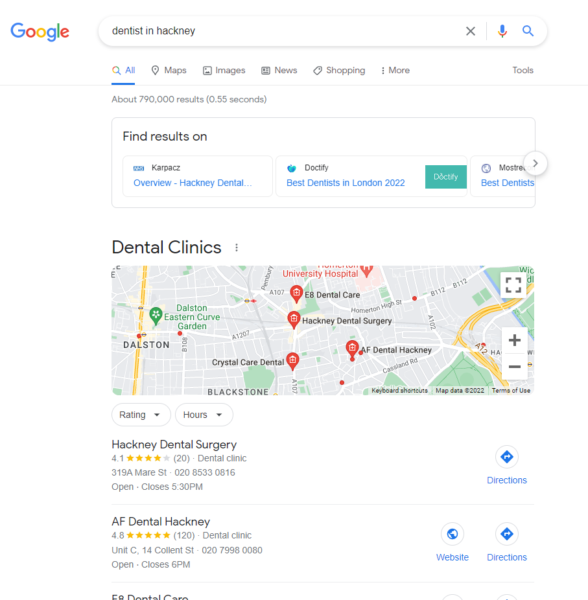
Then sort what you find. Separate direct competitors, with a similar offer and the same audience, from businesses that overlap on only one or two products. Note which are small firms and which are industry giants with much bigger budgets. That context matters later, because a national brand’s traffic is no benchmark for a regional business.
If you’re not sure who your audience is, start with how to define your target audience. For a fuller process covering content, links and keywords, see our SEO competitor analysis tutorial.
How to Check a Competitor’s Traffic Using Free Tools
There are plenty of tools you can use to check website traffic free online, and new tools are appearing all the time.
With the growing importance and sophistication of search, there are many factors you could take into consideration when analysing a competitor’s performance.
Each tool offers something different, so it’s a good idea to compare and contrast results using a range of tools. It’s important to note that you won’t get the exact figure of traffic to a competitor’s site. — Only access to their Google Analytics account will give you such juicy insights. — But the estimates from a variety of tools will give you enough data to make educated decisions.
Some free tools cap usage after a certain number of searches or include only basic features, with unlimited usage and advanced features available only to customers who upgrade to the paid version.
1. Similarweb
Similarweb estimates a site’s total monthly visits, how long people stay, how many pages they view and the split between search, direct, social and referral traffic. It also lists similar sites, which can turn up competitors you missed.
- What it measures: estimated total visits from all channels, plus engagement and traffic sources
- Free version: yes, with limited results
- Accuracy: best for larger sites; less reliable for small sites with little data to model from
- Best for: a quick view of a competitor’s total traffic and where it comes from
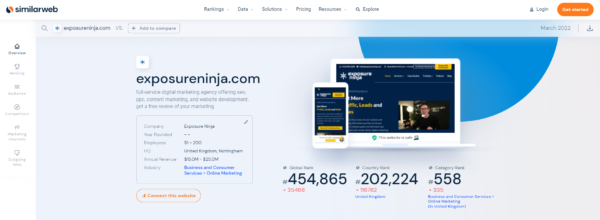
Screenshot of SimilarWeb
2. Ahrefs’ Free Traffic Checker
Type a domain or URL into Ahrefs’ Website Traffic Checker and it shows an estimate of the search traffic that site or page gets. Ahrefs’ paid Site Explorer adds the full keyword and page breakdown (see the paid tools below).
- What it measures: estimated organic search traffic, for a whole site or a single page
- Free version: yes
- Accuracy: based on the keywords a site ranks for, so it misses traffic from every other channel
- Best for: checking a competitor’s search traffic in seconds
3. Semrush (Free Account)
A free Semrush account lets you run a limited number of reports each day, including the Domain Overview, which estimates a site’s organic and paid search traffic.
- What it measures: estimated organic and paid search traffic, keywords and backlinks
- Free version: yes, with a daily limit on reports
- Accuracy: organic figures are modelled from rankings, like Ahrefs
- Best for: occasional checks on a handful of competitors
4. Ubersuggest
Ubersuggest shows a site’s estimated organic traffic, its top pages and the keywords it ranks for.
- What it measures: estimated organic search traffic, top pages and keywords
- Free version: yes, with a small number of searches a day
- Accuracy: organic only and modelled from rankings, so it’s useful as a second opinion
- Best for: a simple, low-cost view for smaller businesses
Other Useful Free Tools
Some popular competitor research tools don’t measure traffic, but they help explain why a competitor gets the traffic it does. Moz’s free SEO tools show a competitor’s backlinks and ranking keywords. Google Keyword Planner suggests keywords based on a competitor’s URL. Google Alerts emails you when a competitor is mentioned online, and Buzzsumo shows which of their content earns the most social engagement.
How to Check a Competitor’s Traffic Using Paid Tools
Paid tools generally offer much higher-level and more precise data and more advanced features than free tools. Caps on usage are more generous too, which means no running out of search credits halfway through the month or carefully planning out what to search for in advance to avoid hitting the daily cap.
Some tools are only accessible via a paid subscription, although many offer a free trial and tiered payment system, allowing you to try before you buy and choose a package that best suits your needs and budget.
1. Ahrefs
In Ahrefs‘ Site Explorer, enter a competitor’s domain to see its estimated organic traffic over time and by country. The Organic keywords report shows which searches bring that traffic, and Top pages shows which pages earn the most. Content Gap lists keywords your competitors rank for that you don’t, and Batch Analysis checks estimated traffic for up to 200 sites at once.
Together, these tools provide you with invaluable data for planning your marketing strategy and targeting the most competitive and profitable keywords in your industry.
- What it measures: estimated organic and paid search traffic, by keyword and page
- Accuracy: modelled from rankings, search volumes and expected click-through rates
- Best for: finding which keywords and pages drive a competitor’s search traffic

Screenshot of Ahrefs
2. Semrush
Semrush’s Domain Overview gives an at-a-glance report on any site: estimated organic and paid traffic, top keywords, backlinks and main competitors. Traffic Analytics adds estimated total visits and the split between channels, while Organic Research shows which pages and keywords drive a competitor’s search traffic.
Look closely at a competitor’s paid search keywords. If they’re paying for clicks on a term, it’s likely to be commercially valuable, and ranking for it organically could bring you that traffic without the ad spend.
- What it measures: estimated total visits (Traffic Analytics) and organic and paid search traffic (Organic Research)
- Accuracy: organic figures are modelled from rankings; total visits are modelled from third-party browsing data
- Best for: teams that want traffic, keyword, PPC and backlink data in one place
You can try Semrush through our partner link, thankyouninjas.com*. This is an affiliate link, so we receive a fee if you sign up.
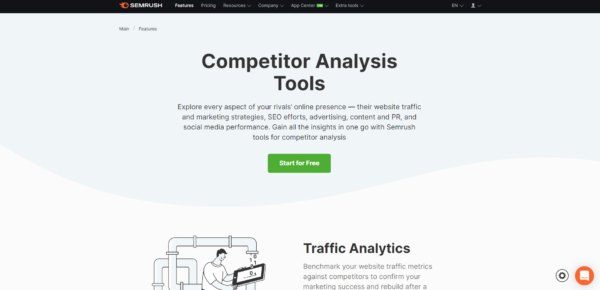
Screenshot of Semrush
3. Similarweb (Paid Plans)
Similarweb’s paid plans unlock more history, more results per report and deeper channel data. They suit teams doing regular market research; for occasional checks, the free version is usually enough.
Which Website Traffic Tool Is Best?
No single tool does everything, so the best choice depends on whose traffic you’re checking and which traffic you care about.
| Tool | What it measures | Free option | Best for |
| Google Analytics 4 | All visits to your own site | Free | Your own traffic, every channel |
| Google Search Console | Google search clicks to your own site | Free | Your own search traffic and keywords |
| Similarweb | Estimated total visits to any site | Limited free version | A competitor’s total traffic and channels |
| Semrush | Estimated total, organic and paid traffic | Limited free account | All-round competitor research |
| Ahrefs | Estimated organic and paid search traffic | Free traffic checker | A competitor’s search traffic by keyword and page |
| Ubersuggest | Estimated organic search traffic | Limited free searches | Quick, low-cost checks |
Our verdict: for your own site, use GA4 and Search Console together, as each fills the other’s gaps. For competitors, use Similarweb for total traffic and either Semrush or Ahrefs for search traffic. Whichever you choose, stick with it, so your comparisons stay consistent over time.
How Accurate Are Website Traffic Estimates?
Treat every third-party traffic figure as an estimate, not a fact. Estimates are useful for comparing sites and spotting trends, but the exact numbers are rarely right.
The reason is how they’re made:
- Ranking-based tools (Ahrefs, Semrush Organic Research, Ubersuggest) take the keywords a site ranks for, estimate how often each is searched and apply an expected click-through rate for its position. They miss keywords outside their database, and searches answered without a click, such as by an AI Overview, can throw the figures off.
- Browsing-data tools (Similarweb, Semrush Traffic Analytics) model total visits from a sample of browsing data and other sources, then scale it up. That works better for big sites with lots of data than for small ones.
So the same site can show very different numbers in different tools. To get the most from them:
- Compare like with like. Use the same tool, the same type of traffic and the same date range.
- Calibrate the tool. Look up your own site and compare its estimate with your GA4 or Search Console figures. If it underestimates your traffic, it’s probably underestimating similar competitors too.
- Focus on trends and relative size. Whether a competitor is growing, and whether they’re twice your size or ten times, matters more than the exact figure.
- Look beyond the total. Which pages and keywords drive a competitor’s traffic tells you far more than a single number.
FAQs: How Much Traffic Does a Site Get?
How much traffic does an average website get?
It depends on the site’s size, authority and industry. In HubSpot’s 2025 survey of US web professionals, the median site got 20,000 unique visitors a month. Ahrefs’ June 2026 data puts median monthly organic search clicks between 4,417 (Law and Government) and 102,910 (News), depending on industry.
What is a good amount of traffic for a website?
Good traffic is traffic that turns into leads and sales, so there’s no universal number. Compare yourself with sites of a similar authority and size, and track your own growth month on month. A site with less traffic that converts well can outperform a busier one.
Can I see exactly how much traffic another website gets?
No. Only the site owner can see exact figures, through tools like Google Analytics and Search Console. Third-party tools such as Similarweb, Semrush and Ahrefs give estimates, which are useful for comparison but rarely exact.
What’s the difference between sessions, users and page views?
A session is one visit to a site. Users are the people making those visits, so one user can have many sessions. Page views count every page loaded, so a single session can include several.
Is Similarweb accurate?
Similarweb gives reasonable estimates for larger sites, but it’s less reliable for small sites, because it has less data to model from. Check its figure for your own site against GA4 to see how far off it tends to be.
What is the best free tool to check website traffic?
For your own site, Google Analytics 4 and Search Console are free and the most accurate. For other sites, Similarweb’s free version estimates total visits, and Ahrefs’ free Traffic Checker estimates search traffic.
What to Read Next
- How to Do Keyword Research Like a Pro
- SEO Competitor Analysis Tutorial
- How To Triple Your Traffic in 90 Days
*Some links in this article are affiliate links, and Exposure Ninja receives a fee for promoting them. These links are not sponsored, and we only promote services we already use in our marketing stack.